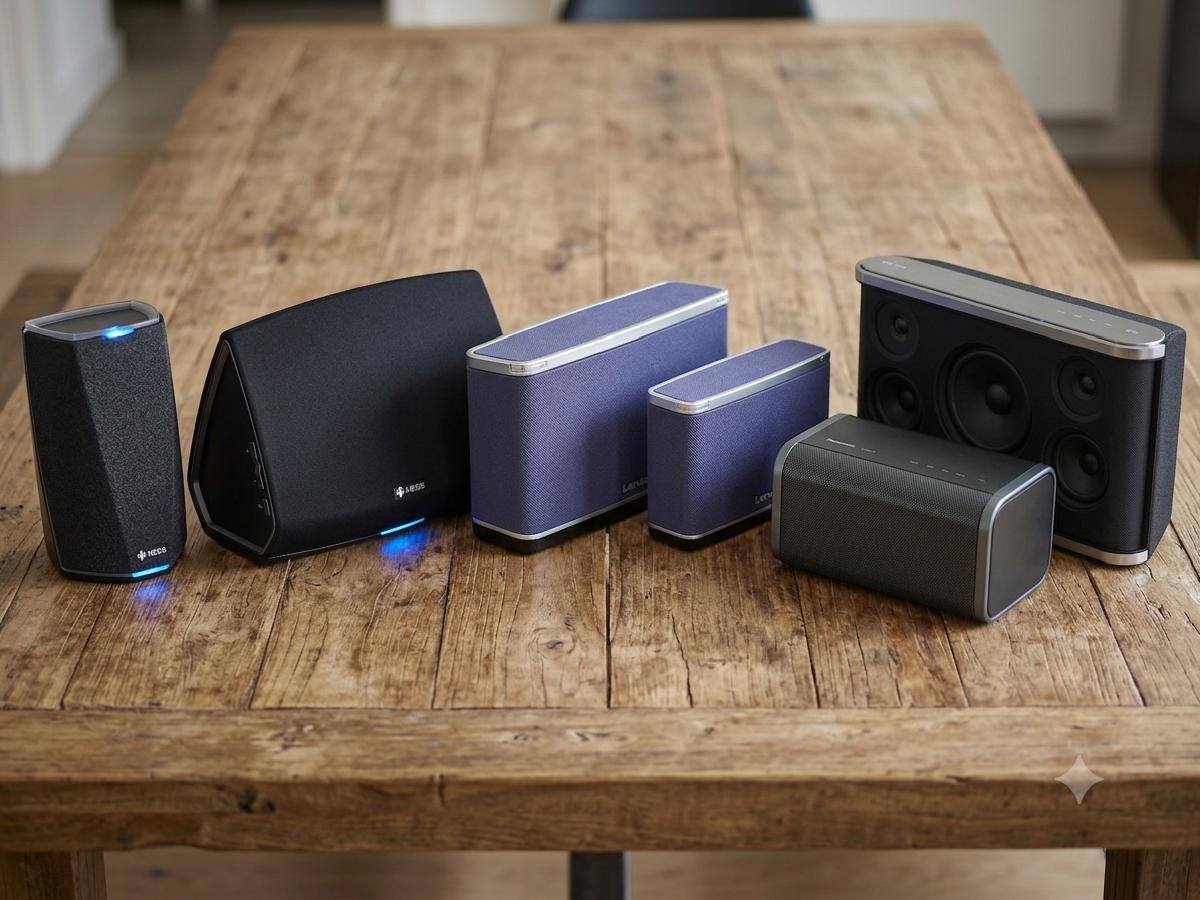


We compare six wireless music streaming units from three different brands
Streaming music wirelessly to any room in the house has been a dream of music nerds for decades, and has even been possible for consumers (rather than über-nerds) since 2001 – back when mp3s were slowly downloaded via Napster in 128kbps quality – thanks to SlimDevice’s SqueezeBox product line (later purchased, and subsequently axed, by Logitech), which I’ve been gleefully using since about 2009 [Ed: and continue to, to this day, thanks to the hard working community over at lyrion.org]. Since the axing, Sonos has been the only real contender in the field, offering reliable, full-featured, great-sounding, but expensive wireless speakers.
Why it took most manufacturers until the middle of this decade to get any viable streaming products out to market is beyond me, but wireless streaming products are finally coming to the mass market, with units from Samsung, Panasonic, Bose, LG, and many others exploding onto the scene last year. Of course, with so many different manufacturers clambering to get out a product, they’ve created a bit of a wireless shit fight – there are no real standards, interoperability between brands is nigh on impossible (with the exception of the bare-bones DLNA standard, which doesn’t support in-sync audio between devices), and support for streaming services is hit and miss.
Thankfully, Qualcomm – who make the chips inside many consumer devices – have created a streaming platform, known as AllPlay, that will finally make wireless streaming interoperable between brands (DTS has done a similar thing with Play-Fi, too, but it’s harder to find those devices in Australia). Of course, it’ll only be interoperable between devices that also use that Qualcomm chip, but it’s more than we’ve had before.
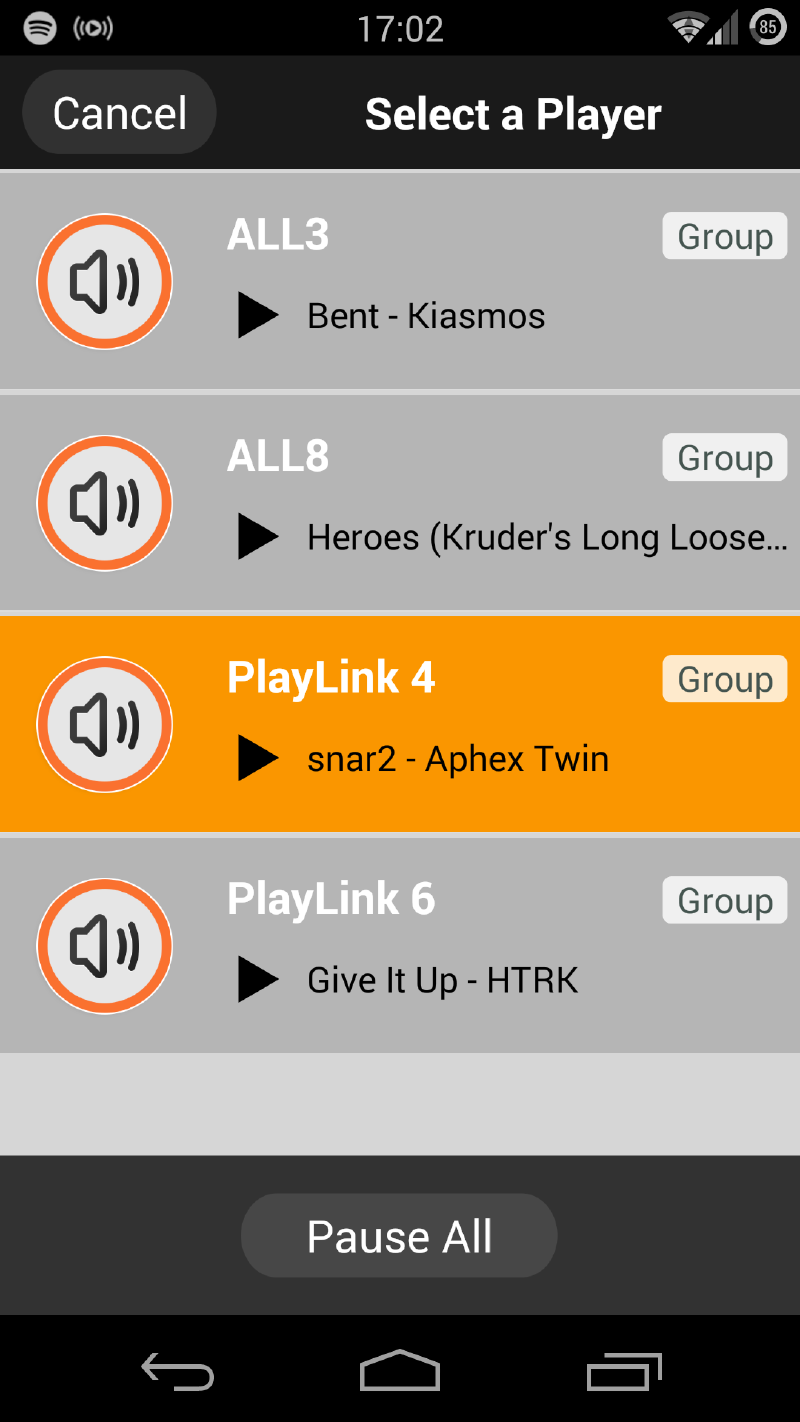
The Qualcomm AllPlay system, of which four out of the six devices reviewed below are compatible, allows any compatible device to playback and be controlled in tandem with any other – no matter what brand it goes by. This means that you can first buy a Panasonic system, and then a Lenco if it better suits your needs, and be able to control both from the same app, as well as have them play in-sync (or separately, of course). It’s quite an achievement, and one that I am fully supportive of.
Perhaps best of all, it’s compatible with internet services as well as UPnP/DLNA, so you can easily access the music stored on your computer or server. The mobile app even allows you to stream music stored on your phone, too.
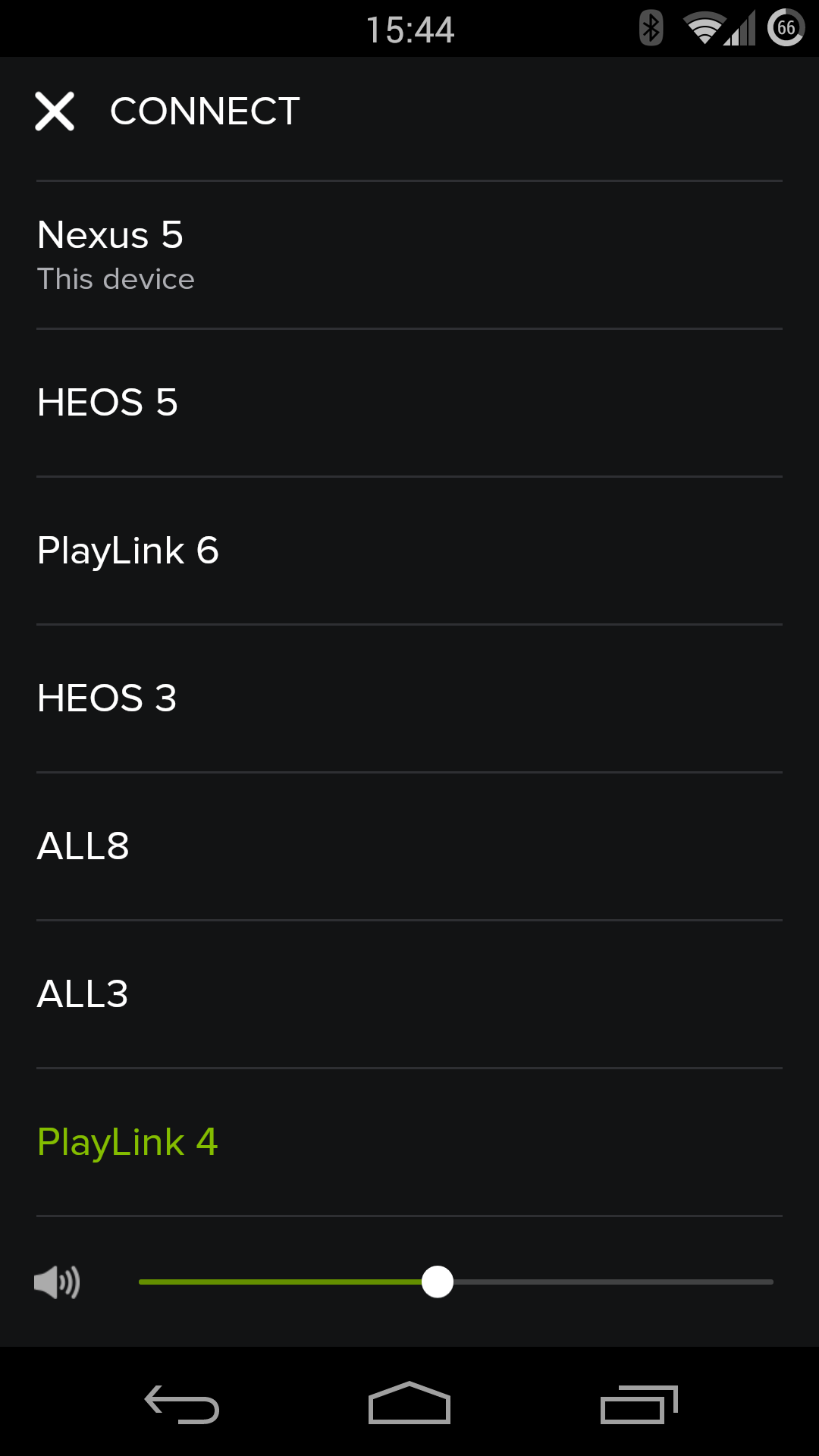
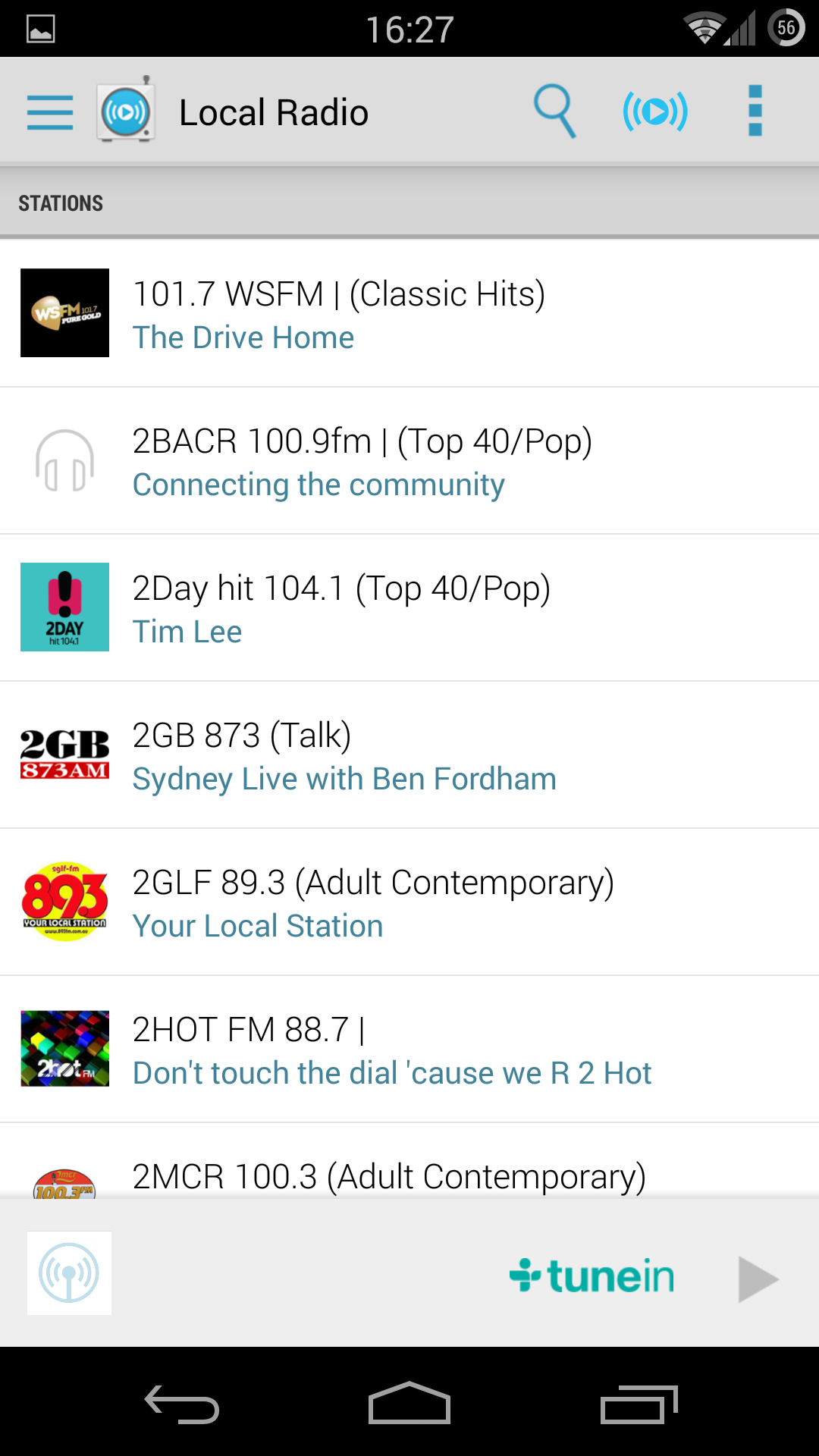
Left: All the tested devices support control from within the Spotify app, thanks to Spotify Connect. Right: The optional (free) AllPlay radio app allows you to choose local, foreign, or internet radio streams for playback.
However, due to its freshness on the scene, it comes with some restrictions. Namely, there aren’t a great deal of compatible streaming services available on it – at the moment, it supports streaming from Astro Player, Aupero, Dar.FM, doubleTwist, iHeartRadio, Napster, Rhapsody, soma fm, Spotify (via Spotify Connect, so you control playback from the official Spotify app), and tunein radio (rebranded as AllPlay Radio). News from CES this year is that SoundCloud has signed on, and you can expect more to come in the future.
Similarly, the quality of the streaming apps is currently pretty average, but there is an AllPlay SDK available, so expect some enterprising individuals to start squeezing out high-quality control apps in the near future.
As the devices are targeted at Joe Consumer, rather than Jimmy Geekpants, the set up for any AllPlay device is rather simple: you turn it on, then connect to a temporary WiFi network on your smartphone, where you are redirected to a page to enter the details of your home network. You can alternatively run the devices in WiFi direct mode, skipping the home WiFi all together, but you’d only want to do this if you’ve taken it away on holidays or something.
The HEOS units tested below, while not AllPlay, also have a fairly simple setup, where you download the HEOS app, and then connect your phone to the HEOS unit using a headphone cable. The setup information is then sent via the headphone cable to the device. Simple, clever, effective.
But enough of that, let’s look at the products themselves.
Lenco #
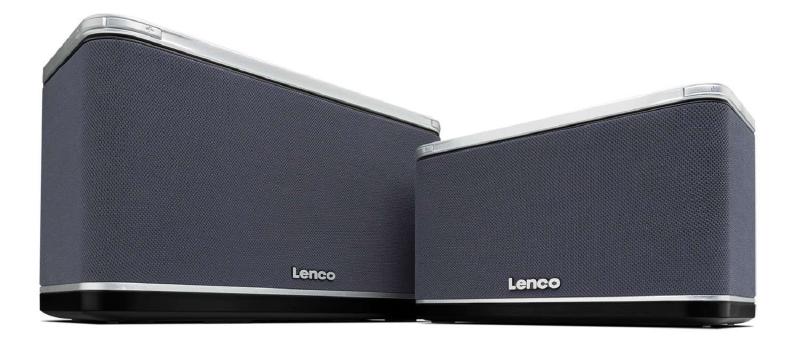
PlayLink 4 #
Ultimate convenience makes this my pick
Score: 4.5 (Editor’s Choice)
Price: RRP $359 / $399 (w/ battery)
Online: lenco.au
Critical specs: Qualcomm AllPlay compatible, DLNA, Bluetooth w/ NFC, aux input, 192kHz 24bit compatible (lol), 5/2.4 GHz WiFi a/b/g/n, optional battery
PlayLink 6 #
Great sound, bonus Bluetooth
Score: 4
Price: RRP $549
Online: lenco.au
Critical specs: Qualcomm AllPlay compatible, DLNA, Bluetooth w/ NFC, aux input, 192kHz 24bit compatible, 5/2.4 GHz WiFi a/b/g/n, ethernet
The Lenco PlayLink units are the only ones in this roundup that included Bluetooth (with NFC for quick pairing). Now, while Qualcomm claims that AllPlay is a better alternative to Bluetooth, I disagree: while Spotify Connect is a boon, you’re still (currently) unable to play music from some of the most popular free services – Bluetooth fills this gap.
To further heighten the convenience, the smaller PlayLink 4 unit even comes with the option for a removable battery – making this the perfect take-anywhere unit. Because of this convenience, the PlayLink 4 was my pick of the lot, even though it had the least desirable sound of the bunch. This may seem counter-intuitive, but the primary purpose of any all-in-one speaker or micro hifi is convenience, and as none of the tested units compete with proper speakers and amps, I look to devices like this to fulfil other needs – and in the case of the PlayLink 4, it caters for just about every situation. This would be the speaker I would want on my backyard dining table or picnic rug.
An added bonus for the PlayLink units is the little switch on the back that changes them from stereo mode to left or right channel mode, making adding a second unit for proper stereo sound a breeze.
The PlayLink 6 missed out on the top pick because, unlike its smaller sibling, it doesn’t have an optional battery pack. It had great sound quality (I preferred its sound signature to the Panasonics), offering decent bass and clear highs, although it can’t compete with either of the Denon units. Unfortunately for sound tweakers, there is no equaliser adjustment possible – a feature on every other unit. However, given that the standard sound signature is perfectly fine, it’s not such a drama.
Only quibbles? I don’t like the plasticy feel of the buttons, nor that the input selector is on the rear, the industrial design is dull, and the blinking light in standby mode is as unnecessary as it is irritating. Also, and hopefully this will be fixed in the future, the units neither turn on nor switch inputs using the control app – you need to physically press the buttons on the unit to turn on or switch inputs.
Panasonic #
ALL3 (SC-ALL3GN-K) #
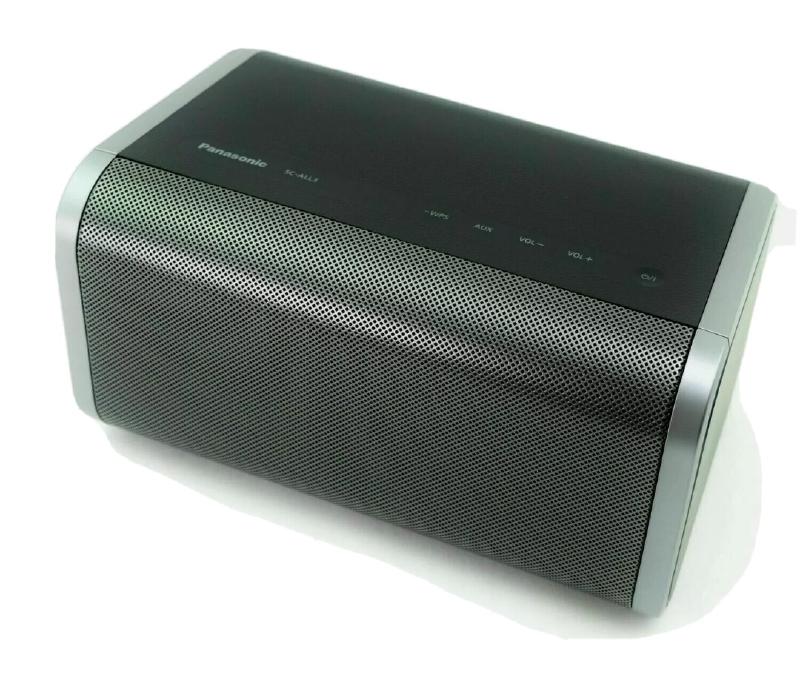
Excellent performance for the price
Score: 4
Price: RRP $379
Online: panasonic.com
Critical specs: Qualcomm AllPlay compatible, DLNA, aux input, horizontal or vertical positioning (with auto detect), wall mountable, 5/2.4 GHz WiFi a/b/g/n, ethernet
ALL8 (SC-ALL8GN-K) #
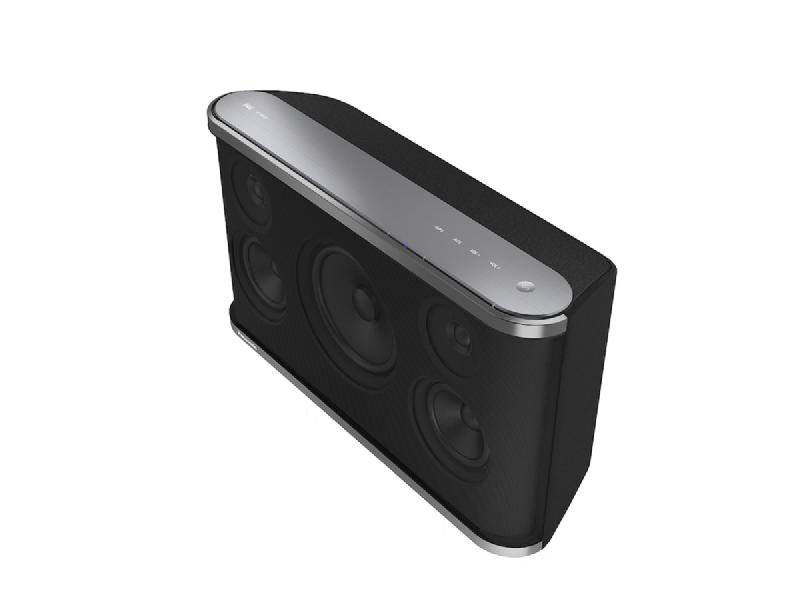
Acceptable sound, good price, great volume
Score: 3.5
Price: RRP $479
Online: panasonic.com
Critical specs: Qualcomm AllPlay compatible, DLNA, aux input, wall-mountable, 5/2.5GHz WiFi a/b/g/n, ethernet
I really like the look and feel of these Panasonic units (especially the smaller ALL3), with their feather touch buttons and minimal, unobtrusive design.
In terms of sound, Panasonic audio products tend to lean towards the brighter, sharper end of the sonic signature spectrum (*not a real spectrum). It’s perfectly pleasant, with clarity in the top end not found on the Lencos, but if you like sound with low-end oomph you’ll find more joy from either of the Denons or the Lenco PlayLink 6. Curiously, the smaller ALL3 unit sounded equal in quality to the ALL8, but just didn’t go as loud. In fact, of all the units tested, the ALL8 performed the best at party volumes, reaching them with minimal distortion (seriously, though, if you’re looking for something loud, buy yourself some real speakers).
The upshot of this is that, if you’re purchasing for the study or kitchen – a smallish room or where you’ll be quite near to it – there’s no real reason to choose the ALL8 over the ALL3. If you’re looking for the lounge room or outside on the deck (within reach of a power point, of course), then the ALL8 would be the better choice. Also worth considering is that the ALL3 can be mounted horizontally or vertically (automatically adjusting the sound for the correct stereo effect), and both can be wall mounted (brackets not included).
Both units have a two-band (bass and treble) equaliser. I found that enabling them immediately made the sound worse, however, and no amount of tweaking would right it again, so I preferred to keep them turned off. And, unlike the Lencos, you can’t turn them into a dedicated left/right channel, which seems a shame given the ALL3’s near perfect size for just that.
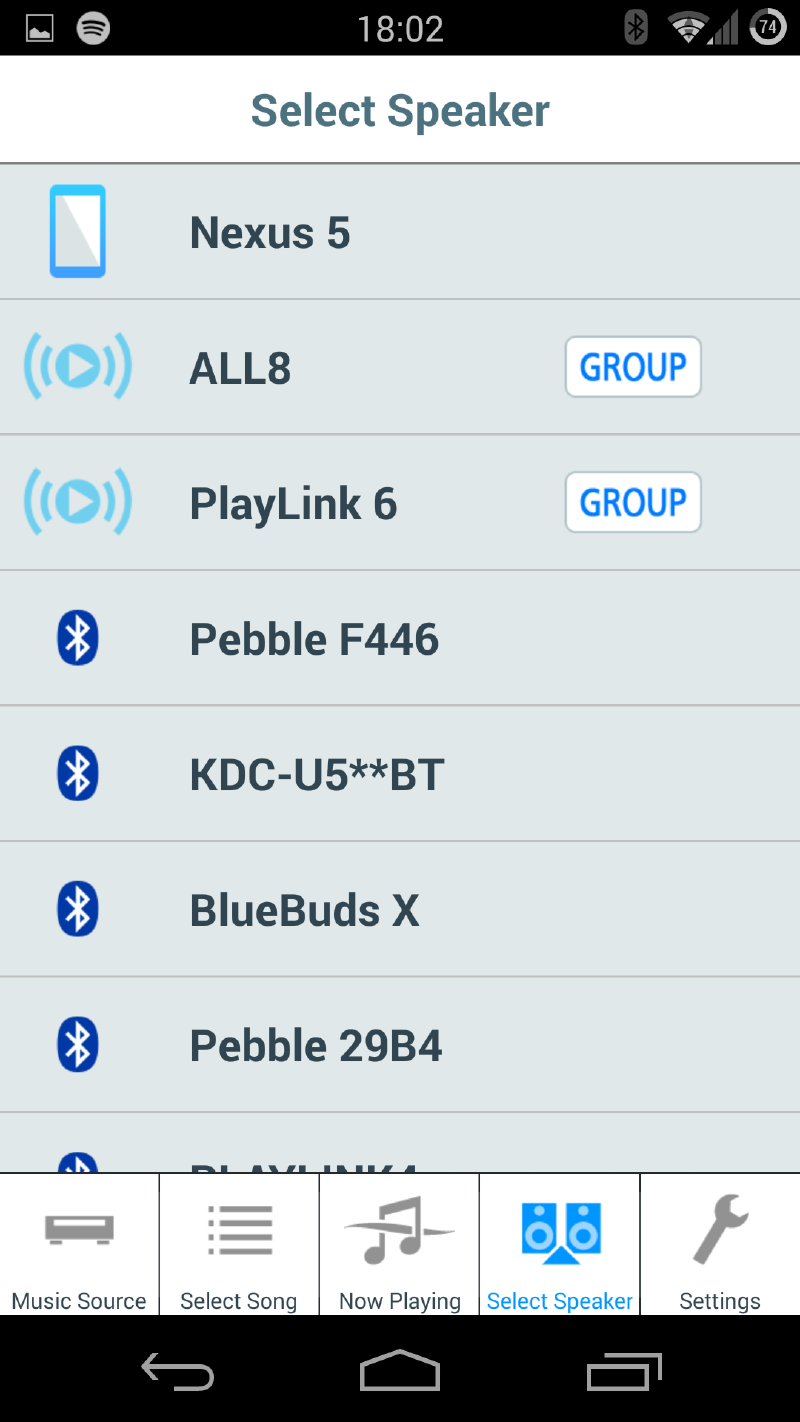
Also worth noting is the Panasonic control app is a little… peculiar. Often misbehaving/crashing, and, confusingly, listing just about every DLNA or Bluetooth music player in the house – even those it can’t play from, like my Pebble watches, and the HEOS devices.
Thankfully, you can just use the standard AllPlay app (known as AllPlay Jukebox) in its place.
Denon #
HEOS 5 #
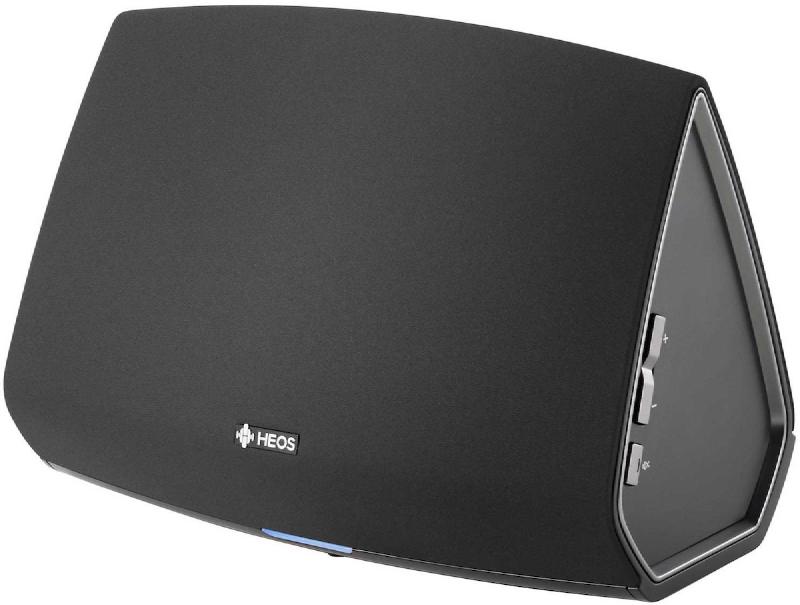
Best for sound quality, but no AllPlay
Score: 4
Price: RRP $599, Street ~$520
Online: denon.com/en-au/
Critical specs: DLNA, Spotify Connect et al. (but not AllPlay), aux Input, USB input, 5/2.4 GHz WiFi a/b/g/n, ethernet
HEOS 3 #
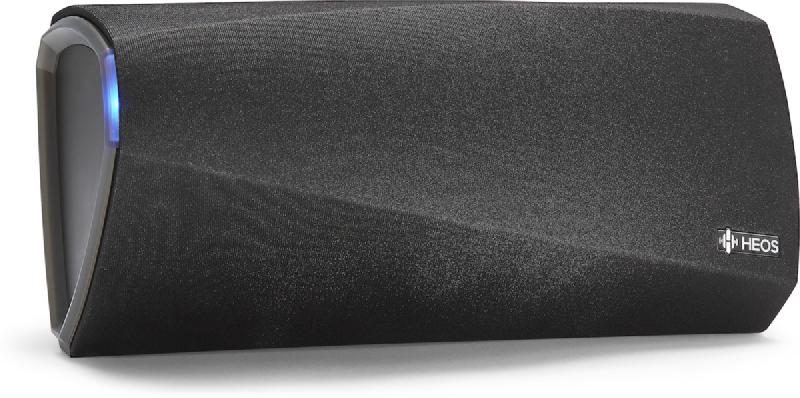
Amazing sound, but doesn’t play well with others
Score: 4
Price: RRP $449, Street ~$390
Online: denon.com/en-au/
Critical specs: DLNA, Spotify Connect et al. (but not AllPlay), aux Input, USB input, horizontal or vertical positioning, wall mountable, 5/2.4 GHz WiFi a/b/g/n, ethernet
Both of these Denon units sound great – leagues ahead of the others tested here. The sound is full, the bass satisfyingly deep, and the treble clear without being harsh. Even the smaller HEOS 3 easily bested the others on the sound front, and the HEOS 5 was incomparable.
However, unlike the others, they aren’t AllPlay compatible – a distinction that’s worth considering. This means that you’re missing out on the interoperability between other brands that I love about AllPlay – that is, if you ever want to add another streaming product to your home, you’re going to have to make it a Denon for it to play ‘in-sync’.
However, there are also a few advantages of the HEOS system, namely: like AllPlay, it supports Spotify Connect, Napster, and tunein radio, but it also supports Pandora and Deezer; all the HEOS units have USB ports, allowing you to access any DRM-free MP3, WMA, AAC, FLAC, or WAV files stored on them as well as share them to other HEOS units; and – and this is probably the wowest feature of them all – it allows you to connect any device to its aux port, and then share that audio to any other HEOS unit in the house (which makes the inner geek in me a little weak at the knees). Denon announced earlier this year that HEOS will soon support Google Cast for Audio, which will allow you to stream the audio from a host of popular Android apps, but, obviously, I wasn’t able to test it.
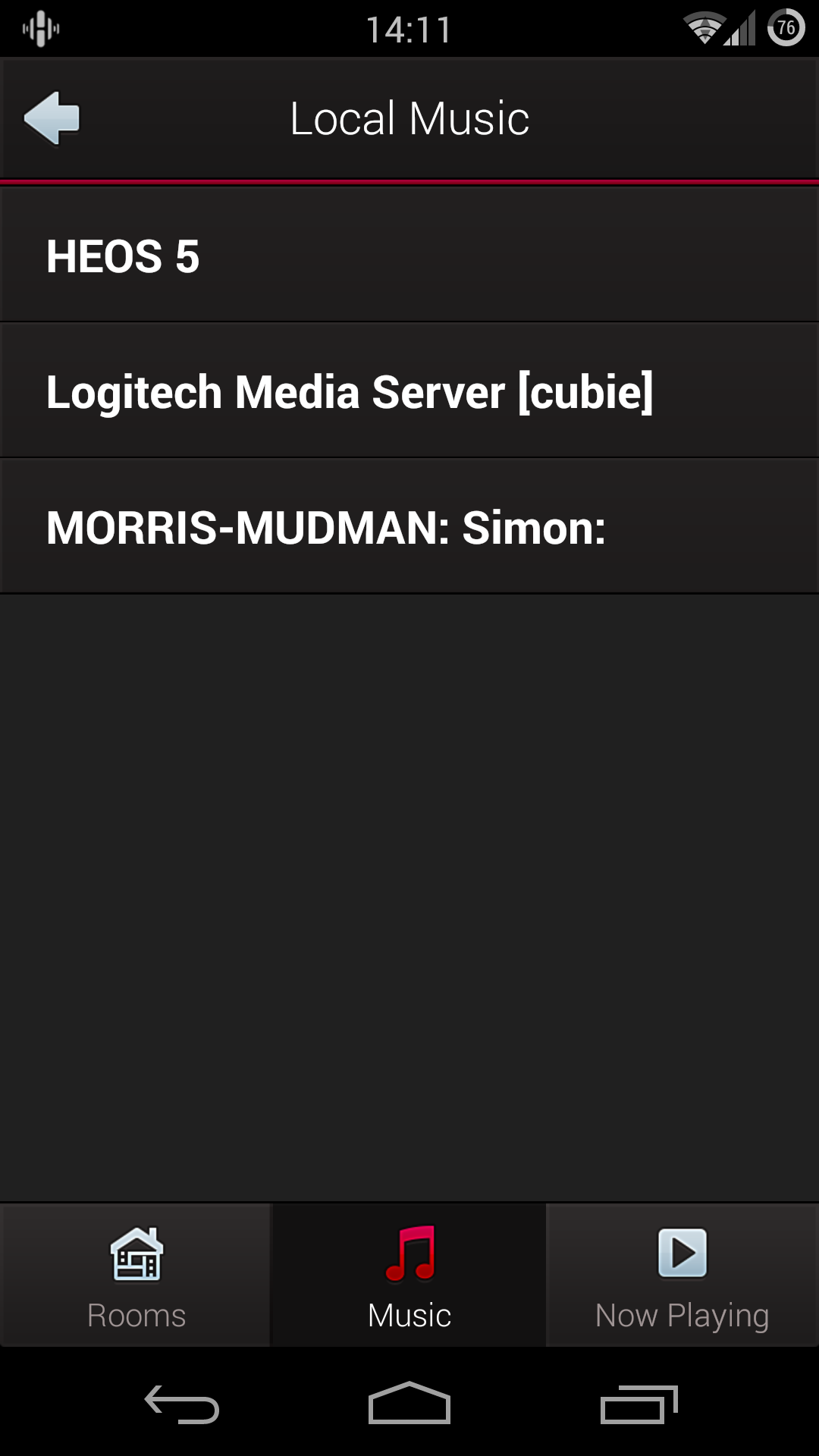
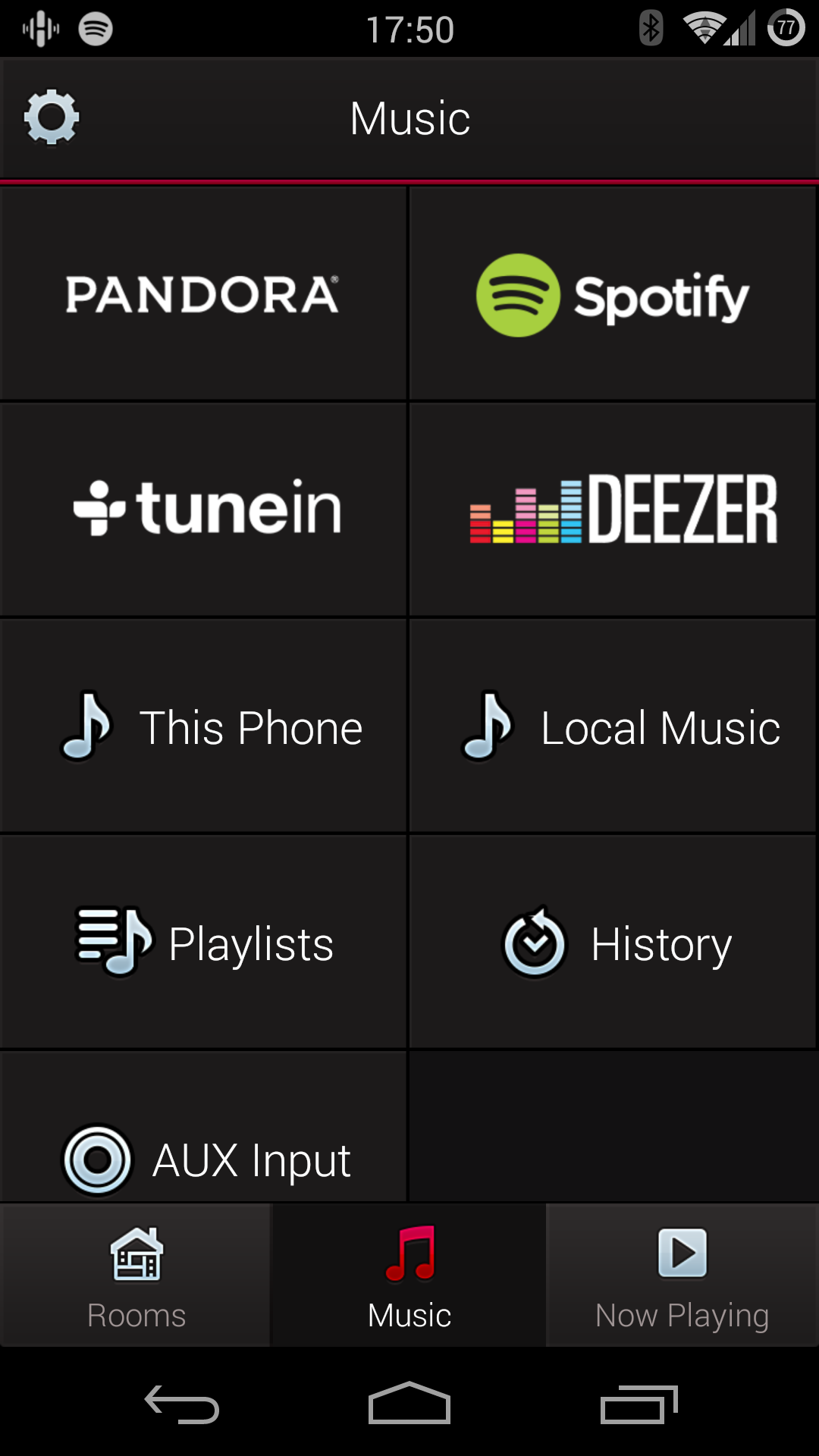
Left: Like AllPlay devices, the HEOS range supports streaming music from your PC via DLNA. Right: The only way to select inputs on a HEOS unit is via the app.
Further to this, the HEOS app does feel more polished than the current AllPlay control apps – with one glaring omission, however: you can’t fast forward/rewind through the currently playing track. Also worth noting that, to access any of the services other than Spotify Connect, you need to start a HEOS account, which stores your service login information. The claimed advantage being that you can just log into the one account on any device, and you’ll have immediate access to all of your relevant services.
Now, given that the HEOS units provide effectively just as much functionality as AllPlay (albeit without as much flexibility for upgrades), noticeably better sound, a more polished app UI, it’s hard to ignore them. The one quibble, however, is that they do cost noticeably more. But if sound quality is your primary concern (or you don’t have a ‘better’ system to listen to music on), then the HEOS could be better for you – but at this price, you should also consider something from Sonos, as they sound great and offer superior control apps and support of streaming services.
I mentioned earlier that the Panasonic ALL8 went the loudest of all the units without distortion. To elaborate, the Denon HEOS 5 might have gone louder, but all the bass notes turned into distorted mush when pushed. It appears to me that the ALL8 automatically cuts the bass frequencies when it’s driven hard to prevent audible distortion. You can always compensate for this on the HEOS units by manually adjusting the two-band equaliser when you turn them all the way up, but this isn’t ideal.
If you want even bigger sound, you may want to consider the HEOS 7 for $899, however, I haven’t tested the unit, so can’t say if it’s worth the extra $300 (especially when comparing it to something from Sonos). What I can definitively say is that the $549 HEOS LINK and the $799 HEOS AMP are most certainly NOT worth the money (Lenco do an AllPlay version of the link for $249), unless you’re really absolutely definitely tied to the HEOS platform (that is, you already have several other HEOS units).
How we tested #
Each unit was initially compared side-by-side using a range of musical styles. Additionally, so as to make sure the sound signatures had time to sink in, each unit was then tested in situ by placing it around the house for everyday use. Every input, source, and feature was tested for usability and quality.
What to look for – buyer’s guide #
Sound signature – This needs to be tested in-store, as it’s a personal preference. Denons were bassy, Panasonics bright, Lenco in the middle.
Connectivity – How will you use the unit? Over Bluetooth? An iPod? DLNA? Is your preferred streaming service compatible?
Portability – Will you want to take this outside? You’ll need a battery.
Volume – If you’re going to put it in a big room, or you’ll primarily be sitting/standing more than 4 metres away, go for larger, louder units.
Upgradeability – Are you happy sticking to the same brand forever (Denon, Sonos), or would you like to be able to mix it up later (AllPlay compatible)? Is there an option to add the streaming system to your existing hifi?
WiFi – Can your router handle streaming to multiple devices? Many routers will start having problems at more than 4 units, so use ethernet where possible.
HD compatibility – If you drink the HD Kool-Aid, will the unit (and your WiFi) handle the extra bits? Can they downsample on-the-fly if not?