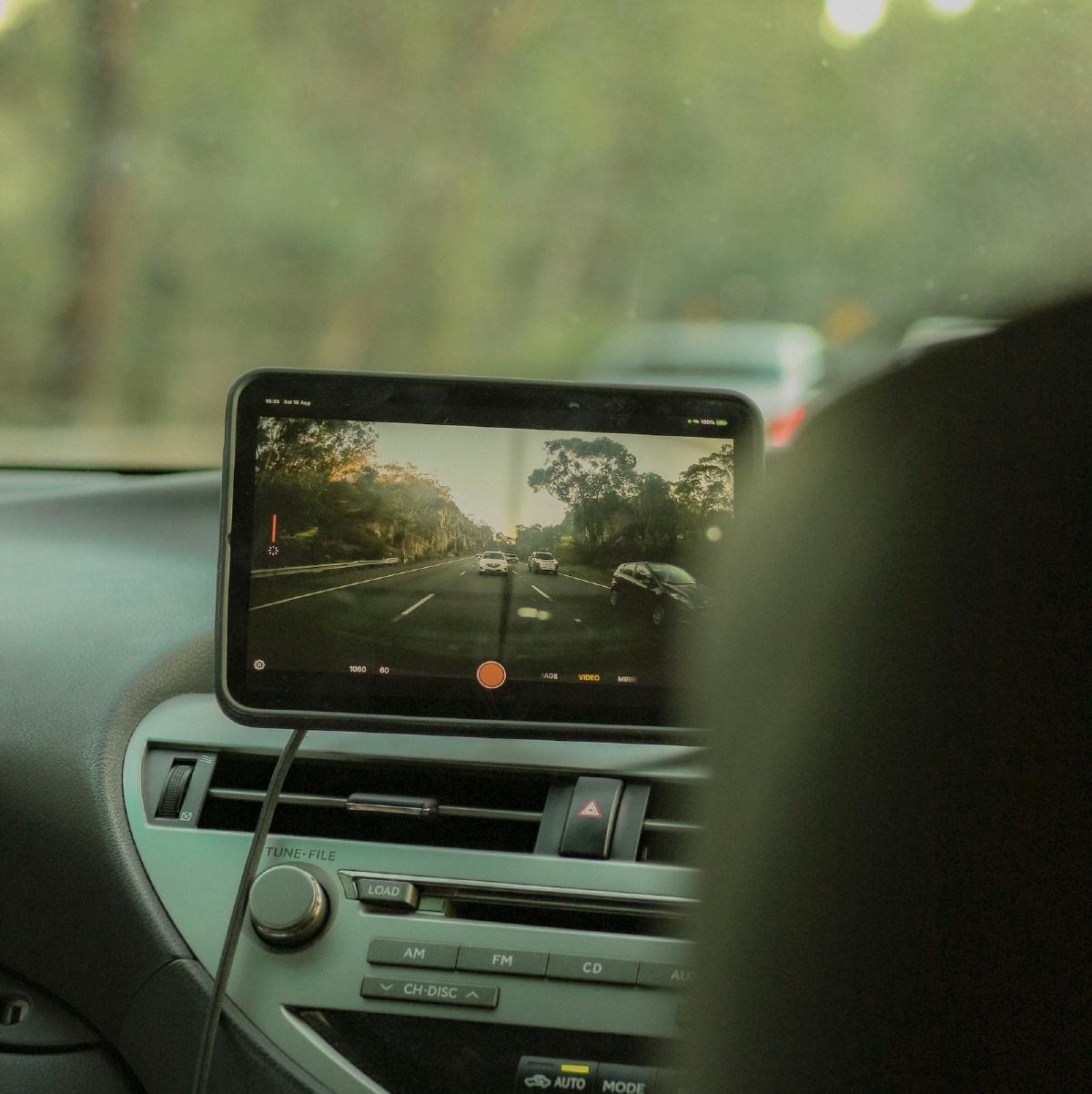


Just like the technology in your home, car gadgets are converging toward a single device.
Since the proliferation of powerful smartphones and tablets, manufacturers of all manner of devices have been switching from on-board interfaces to interfaces carried around in your pocket. You can now use your smartphone or tablet to control your music, queue up movies on your TV, and — very soon — pay for goods. These mobile devices have become the centre of our tech world. This is no different with in-car technology, with many disparate devices now being replaced by that single, powerful mobile device.
There was once a time, not that long ago, when people installed computers into their cars. These imaginatively dubbed ‘carputers’, while 12v, required special power supplies so that they could automatically start-up/shut down when the ignition was switched on/off, lest they flatten your battery. Installing them was, therefore, a pain. They were also expensive — the touch-screens would often cost as much as the PC itself — and usually required at least an elementary knowledge of Linux. Thankfully, as we’re now in the tablet era, those days are behind us.
Tablets are the perfect in-car entertainment, navigation, and control device. They’re battery operated, so you don’t need to fiddle with start-up/shut down procedures; they’re well supported, so you don’t need to learn how to use the daunting (if rewarding) Linux world; and they’re cheap and abundant.
This abundance can be potentially overwhelming, however: which tablet do you choose? You first need to ask yourself some questions. Are you an Android or iOS sorta person? Do you want to mount it in-dash, or have it in a cradle? Is there room on/in your dash for a 10" screen, or should you opt for the smaller 7-8" option? Do you want a dedicated mobile connection (and, thus, another pre-paid data account), or are you happy to tether it to your phone, or a portable 3G/4G router?
If you decide to go Android, I’d recommend sticking to a known brand — there are a myriad of terrible, no-name, bargain-basement devices out there that will end in more woe than wow. If you’re opting for the smaller form factor, I don’t think you can pass up the price point of the Nexus 7. Recent Android tablets, including the Nexus 7, also have the ability to accept external USB and hard drives, which can be very handy for storing music and movies, although the cable-dangle factor is a potential problem.
It’s also not a terrible idea to opt for a cheaper, Wi-Fi only tablet, and then stick a USB- or battery-powered 3G/4G router in the glove box. Such routers can be found for under $40, delivered, from eBay (excluding the required USB modem), so can end up cheaper than the 3G option on your tablet. If you find one that can be powered from USB, it’s a cinch to find and install a cigarette lighter to multi-USB power adaptor (try Jaycar or eBay), which will also give you ports to simultaneously charge your phone/GPS/music machine etc.
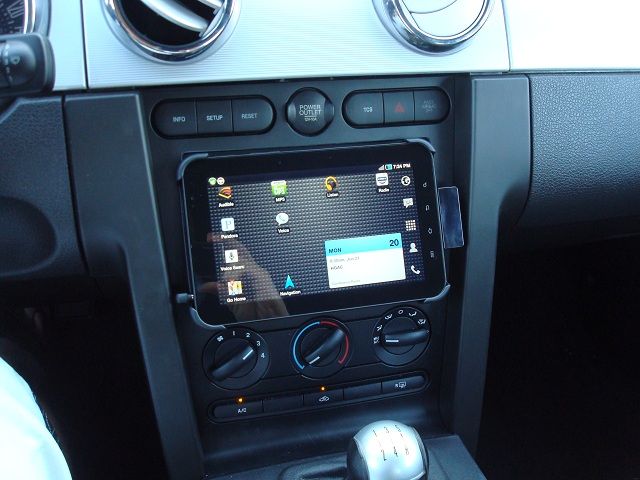
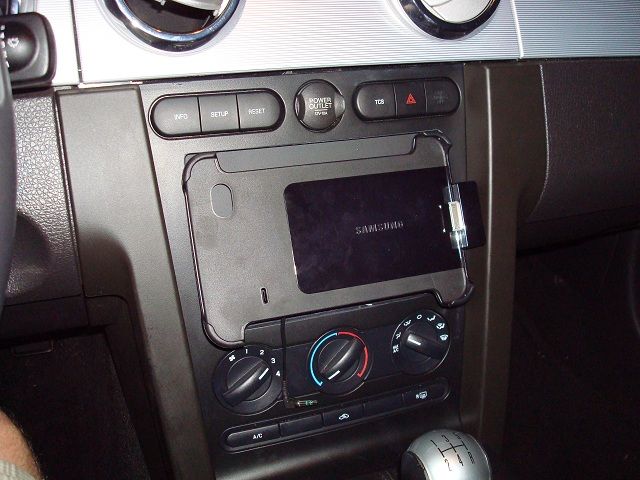
The tablet will become the entertainment hub of your auto, so you’ll want it mounted in an accessible, viewable place. I’ve seen some amazing in-dash installs on sites like mp3car.com and instructables.com, but, if you’re less of the DIY type, you should consider a good cradle. A cradle will also make the tablet easier to upgrade in the future, or remove from the car for whatever reason (a new SIM card, loading up with media, hiding it when parked etc). Some cradles will notify the tablet/phone that it’s been inserted, so will trigger a special “Car Mode”. Other cradles, such as the Kensington Sound Amplifying Dock, also feature passive sound amplification, which can be handy when listening for navigation instructions. The advantage of an in-dash install is that it looks neater, and you don’t have to fiddle with cable connections or Bluetooth when you get in the car.
If you’re running Android, you should install Tasker, which can automate a lot of your settings based on triggers. If you have an in-car Wi-Fi hotspot, you should consider creating a profile that triggers when your tablet connects to it. This way, when you start the car (and, thus, your router), your tablet will automatically turn on Bluetooth, connect to your stereo, fire up your dashboard/music/navigation app, and set the screen to ‘always on’. Likewise, it can undo all these settings when you leave your car. If you have a smart cradle for your tablet or phone (one that alerts the device when it’s docked), you can trigger profiles from that, too.
Now, the apps that you install on your tablet will determine your experience. From dashboards/HUDs, to music playback and streaming, to navigation, to car diagnostics - there’s an app for everything.
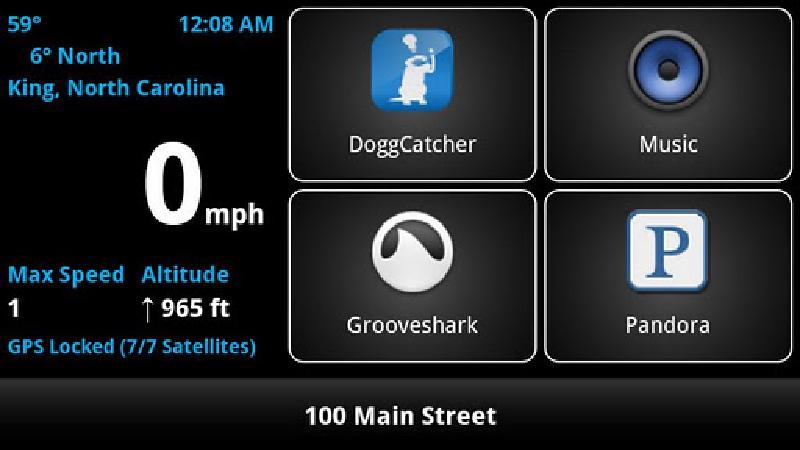
A number of in-car apps provide a ‘dashboard’ or Heads Up Display (HUD) containing easily-accessible media control keys, shortcuts to your car-related apps, as well as useful (if distracting) information, such as speed, bearing, g-force, inclination, the name of the road that you’re on, weather, etc. For Android, Car Dock Home, Car Home Ultra, and Car Dashboard Pro are popular, while, on iOS Zilla HUD looks good.
Music #
The most obvious use for a tablet is entertainment — usually in the form of music (you do, after all, require your eyes for driving, which takes movies out of the picture). To get the music to your speakers, you’ll need to either plug your tablet into a line-in port on your head-unit, or purchase a head-unit with Bluetooth A2DP connectivity.
Upgrading the stereo head-unit in cars is becoming more difficult as some manufacturers are moving away from the DIN sizing standard. This isn’t too terrible, however, as OEM units are offering more and more comprehensive features, including Bluetooth, iConnectivity, navigation etc.
After-market head-units still offer some advantage over OEM units, though. Newer units, including some from Pioneer, JVC, and Kenwood, offer the ability to mirror or provide a secondary interface for apps that explicitly support the function. Double-DIN after-market units often have large, attractive screens that come with line-in connectivity — handy for reversing cameras and other in-car entertainment like DVD players — and may be compatible with the MimicsX2 (see “Using an existing screen” below).
Navigation #
A fairly recent gadget that is now likely to head the way of the Leyland P76 is the stand-alone GPS unit. With every phone manufacturer offering some sort of mapping product as standard (sorry for bringing up a sore point, iOS users), and many head units coming with integrated navigation functionality, much like point-n-shoot cameras, there are but few reasons to plonk down the dollars on a dedicated unit.
Of course, that isn’t to say that there aren’t benefits to using a dedicated unit over a smartphone/tablet — often the navigation is a little more refined, using the unit doesn’t eat into your phone’s precious battery life, they don’t require a mobile signal (although, many third-party apps have the maps pre-installed), and, if you use your phone/tablet for music, you don’t have to fiddle around switching apps to change a track.
Using your phone or tablet has the added advantage of having the latest mapping data, and costing significantly less than a dedicated unit. Almost every Android device out there includes turn-by-turn navigation out of the box, but iOS users — especially those using Apple’s abysmal Maps offering — will have to drop a little extra for a third-party navigation app. Third party navigation apps often provide the maps as a once-off download, which will come in handy if you don’t have 3G connection in your tablet, or you’re in an area without mobile reception.
Diagnostics #
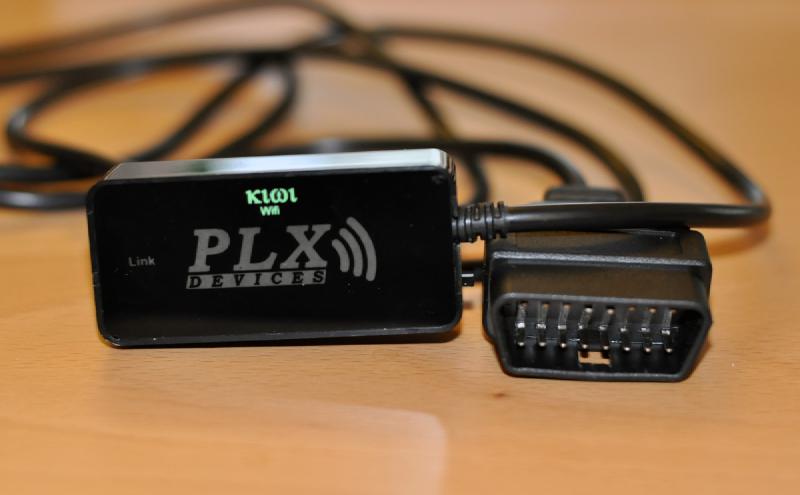
OBD-II ports have been standard on new cars in Australia since around 2005, and allow mechanics to more easily diagnose engine problems, or view real-time engine information. But, car owners can also access this port. There are many different devices available that can interpret this information, and either display it on an integrated hand-held device, or send it over Bluetooth or Wi-Fi to a computer, smartphone, or tablet.
These OBD-II connection kits allow you to view information like fuel consumption, emissions estimates, current speed (meaning that you can also log the speeds of the car when you lend it to your teenage son), power and torque output, fault codes (rather than just the ‘check engine’ light), and more.
Having access to the fault codes is particularly helpful, as you can diagnose what’s wrong with your vehicle before you take it into the mechanic. Meaning, if it’s user-serviceable, you can save some dollars and even clear the ‘check engine’ light yourself when done.
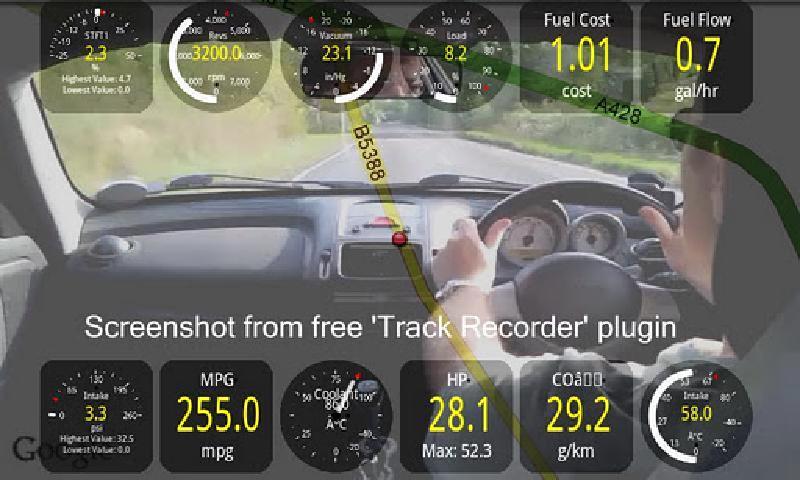
The Bluetooth kits are surprisingly cheap, starting at just over $10 on eBay for low-quality models, or under $100 for a more reputable brand, such as a PLX Kiwi. With the kit hooked up to your car, you can download any of a number of apps on all major platforms, such as Torque Pro on Android or Dashcommand on iOS, that, in addition to real-time engine information and fault-code look-ups, can log all the information while you drive, alongside your position via GPS, and, on some, even a video feed of your journey.
Cameras #
Reversing cameras have been around long enough that they’re quite common, and are often a standard feature on larger cars. If you don’t have one, the easiest path is to purchase a cheap kit and have it installed — IP webcams to a tablet are a great idea in concept, but can be a pain in reality (put car in reverse, exit current app, find and start camera app, wait for it to connect…). If you have a head-unit with a big screen, chances are that it supports a video input from a reversing camera, and hopefully, automatic switching when the car goes into reverse. If so, you can purchase wide-angle cameras from eBay for less than $20.
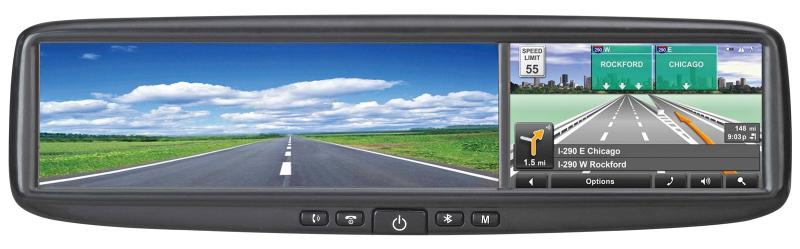
If you don’t have an existing screen, you can consider an Azentek Smart Mirror, based on Windows CE, which features a reversing camera, Bluetooth hands-free, and GPS navigation in a replacement rear-view mirror with an in-built, 4" screen. This is a very neat solution, as it won’t clutter up your dashboard, but it does require installation by a professional. They were originally released way back in 2008, for a whopping $1,500, so you can capitalise on its age and scoop one up for a bargain at under $300 on eBay.
A different type of camera that’s also becoming more popular is the front-facing camera. These exist as either stand-alone units, or as an app on your smartphone or tablet (Torque Pro on Android supports it via the Track Recorder plugin, but there are also many other apps available across all platforms). The idea behind them is to create an almost ‘black box’ (perhaps a grey box?), that records all of your driving, so that, in the case of an accident, you have some evidence of what really happened. As an added bonus, you may just be lucky enough to catch that mysterious glowing orb that landed down the road from you during your recent outback trip.
Kids Entertainment #
Speaking of outback trips, there are few things that conjure more severe childhood memories of pain and discomfort than the family road trip. Sitting cramped for hours on end, boredom gripping your sugar-filled body, unable to move… it’s a form of prepubescent purgatory. Yet, for generations now, parents feel obliged to inflict these moments on their children. Indeed, I will do the same. To save both your children’s and your sanity, you should consider some kind of in-car children’s entertainment.
Of course, you must choose your device wisely, as you don’t want to be lumped with something that ends up annoying you more than entertaining your kids — in other words, headphone connectivity is a must. Being the mobile fanatic that I am, I’d say that tablets are probably your best bet.
There is a wealth of rear-seat mounting devices available for tablets, and the devices themselves are very well priced, given that they can play movies, read books/comics, and play games. Best of all, the games are usually cheap (just be sure to password protect any in-app purchases), especially when compared to those on portable consoles. You can even load up free emulators (and your legally backed-up ROMs), and hook up a gaming controller (an excellent How To is available in the December 2011 issue of APC Magazine, or online at apcmag.com). Just make sure that you have a car charger for those long trips.
There is very little that you can’t do with a tablet or smartphone as the central hub of your car. The time of disparate devices is drawing to a close, and you can expect to see greater integration with smartphones and tablets coming from car manufacturers in the coming years, but with so many great apps available on cheap hardware, there’s no reason to wait until then.
Boxouts #
Using an existing screen: If you already have a carputer installed, or even just an available (OEM or aftermarket) screen in your device, you can now purchase an adapter — the MimicsX2 from CustomGadz — that will allow you to hook up an Android or (jailbroken) iOS device to your existing screen, enabling control from it. There are even overlays available that will turn your existing screen into a touch screen. There are a few requirements, however, so check the CustomGadz website for details.
A word on distraction: Now, with all this great technology making your drive-time commute all the more entertaining, it’s very important to recognise that it’s all too easy to be distracted — and a distracted driver is a dangerous driver. Make sure to mount your device in a place that allows you to keep your peripheral vision on the road while you glance at the screen. That is to say, don’t spend too long fiddling — try and install apps that support gestures, so that you don’t even have to look at the device to change a song. And remember: always double-check for motorbike riders before changing lanes.