

Music creation has forever changed, thanks to the fact that you no longer have to buy additional, expensive hardware.
Auria #
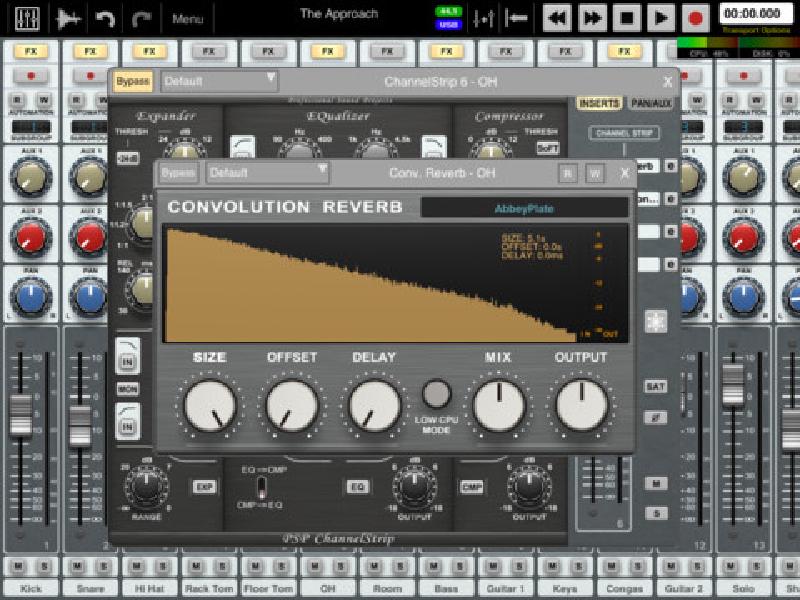
At the very top of the music-creation mountain is Auria. It’s a fully fledged, 48-track mobile mixing, recording, and post-production Digital Audio Workstation (DAW) designed with professionals in mind. Recording and mixing supports sounds with sample rates up to 24 bit/96KHz, and can be done via USB (using the camera connection kit) audio interfaces. AAF import features means that you can even transfer sessions between other DAWs.
There is a massive amount of professional features here, so it’s priced up at the higher end of iOS apps ($51.99 with a tonne of IAP plugins ranging from around $6.50 to $32). If you’re serious, check it out.
Info// For: iPad
Price: $51.99
TouchDAW #
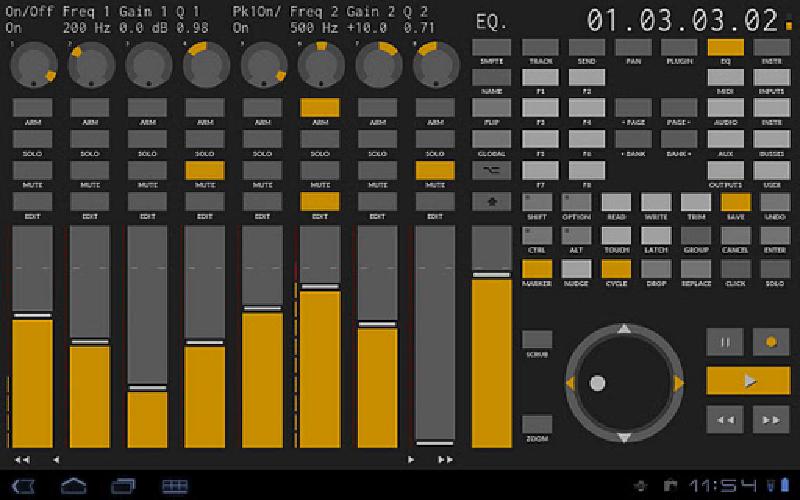
TouchDaw is a two-pronged music control app: it’s full-featured DAW controller (thus the name), but it’s also includes powerful, latency free, general purpose MIDI controllers. So, it doesn’t actually play music, as such, but it controls those devices that you already use in your studio/live set.
It’s compatible with the most popular DAWs out there, and the general purpose MIDI controllers include a multitouch MIDI keyboard, multitouch launchpads, a MIDI mixer, configurable xy-controller pads, and the ability to link a phone’s sensors to MIDI controllers – meaning you can shake your phone/tablet to make the music go wub wub.
Info// For: Android
Price: $4.93
iKaossilator #
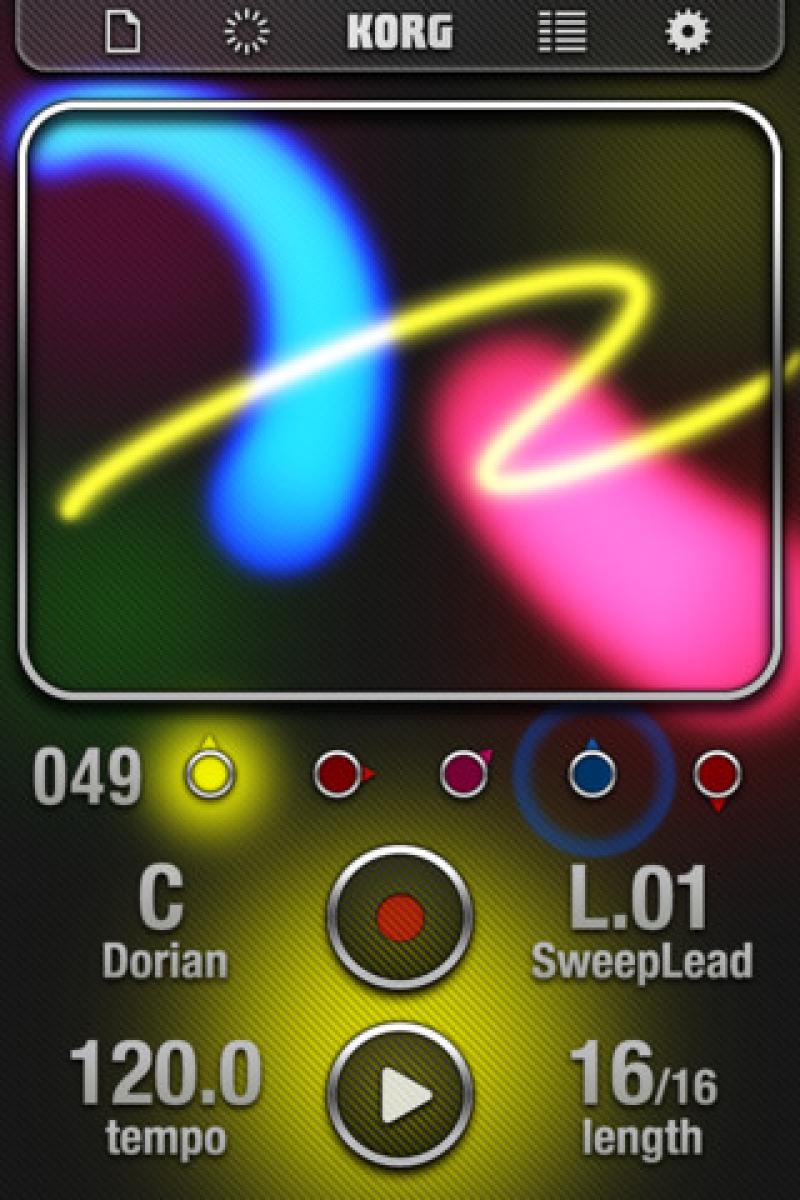
Korg’s legendary Kaossilator has made its way to iOS, and the port is just as fun as the original hardware. The idea behind the Kaoss pad is that you have a touch-sensitive pad that controls pitch as you slide your finger across the x-axis, and a machine-specific function (such as LFO speed, distortion etc) up the y-axis. It’s a simple, enjoyable interface.
Combined with loop creation, 150 included instruments, importing of instruments/samples – including copying and pasting from other apps (!) – and audio export, Korg have successfully recreated a classic, simple, powerful musical instrument for iOS.
Info// For: iOS
Price: $20.99
DM1 #
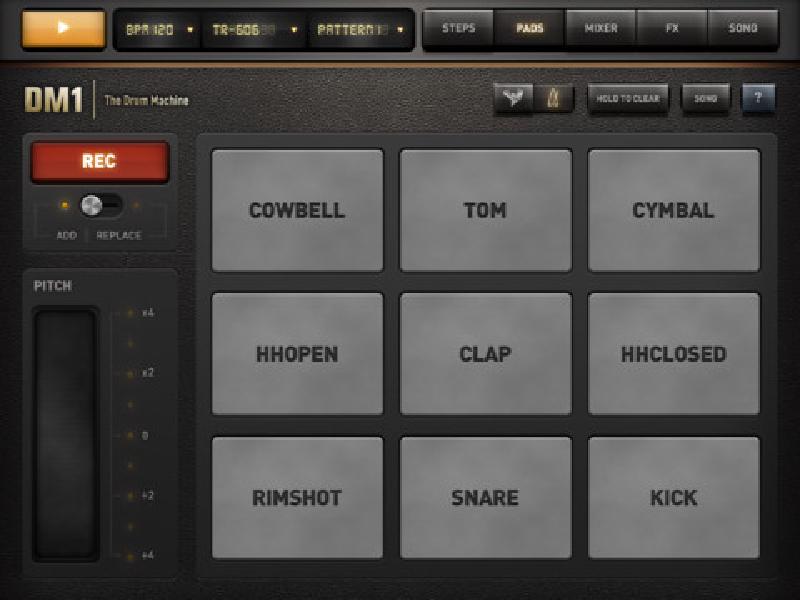
A good drum machine requires not only a great selection of drums – of which DM1 comes stuffed with 64 different drum kits, including 19 ‘classic’ kits – but also an intuitive UI. DM1’s interface is simple, inviting, and had me up and running/dancing in no time.
On top of the basic sequencer mode, there are: drum pads available for on-the-fly drum solos; dual FX pads for tweaking the beats; randomiser mode for beat mayhem; a song mode for putting together your different loops; samples import; high-quality export; WIST sync to sync two iPads/iPhones together; and MIDI in via the Camera Connection Kit.
Info// For: iOS
Price: $4.49 (iPad) / $2.99 (iPhone)
Figure #
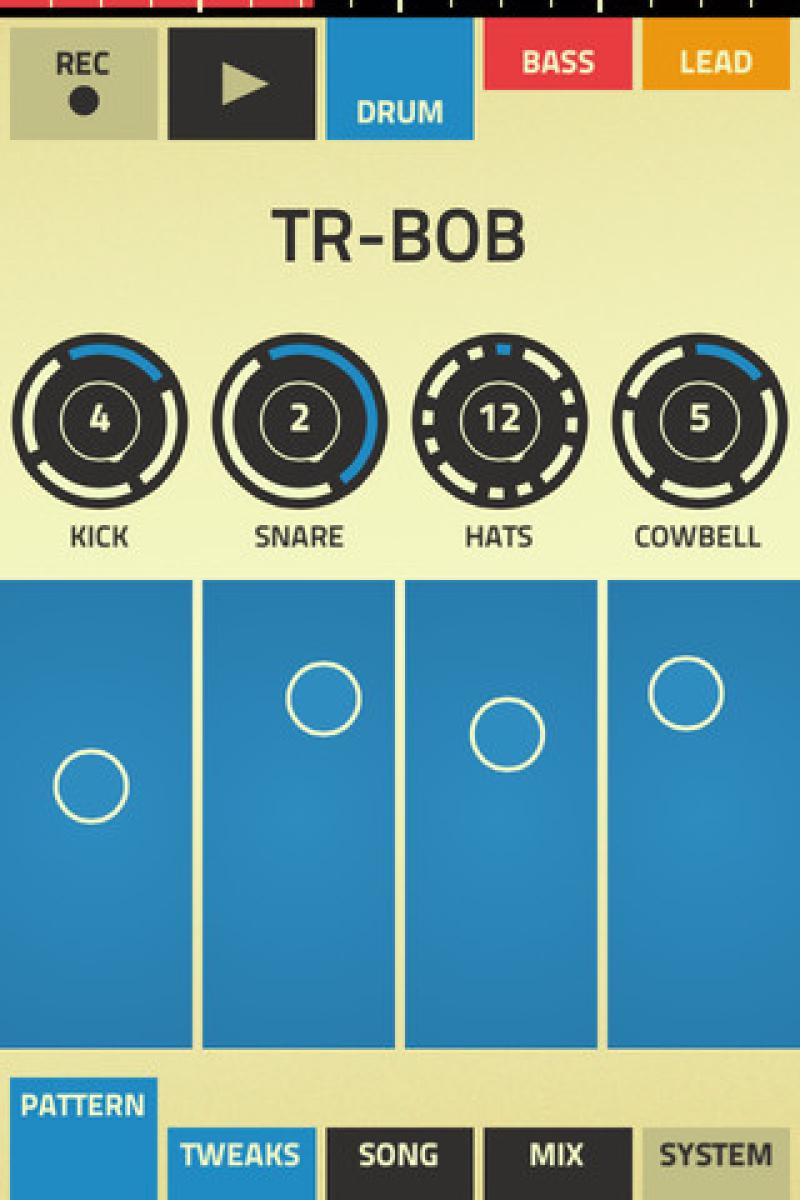
Figure has a beautiful, but functional, interface centred upon three tabs up the top of the screen; one each for drums, bass, and lead. You interact with each one through the context-sensitive touch pad at the bottom of the screen. You can tap it (good for percussion) or slide across it (good for melodies), or you can even just hold your finger on it and let the app do the heavy lifting.
Everything is kept in time by the rhythm wheels (unless you don’t want it to), and once you’ve got a basic sound, you can go further by hitting up the ’tweaks’ tab down the bottom.
Info// For: iOS
Price: $0.99
Caustic 2 #
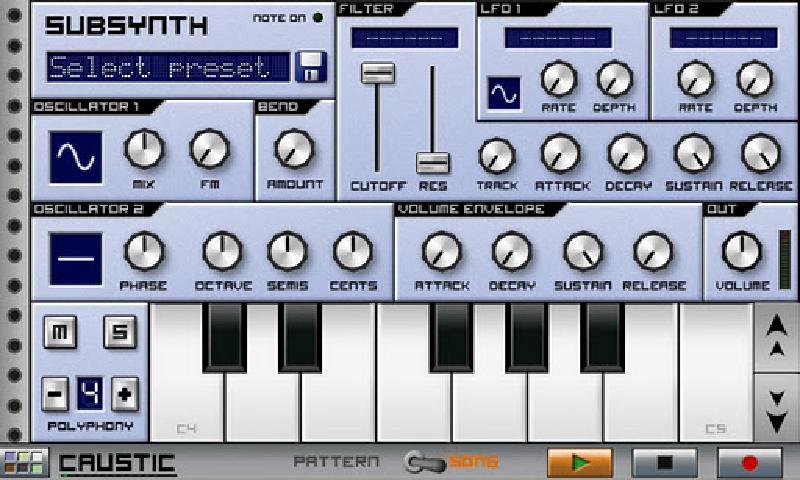
Caustic 2 is a rackmount simulator that contains both sequencers and synths. It supports racks of up to 6 machines including a virtual analogue subtractive synthesizer, PCM synthesizer, BassLine synthesizer, and a sampling drum machine. You can add effects racks supporting 7 effect types with 2 effects per machine. There is also a mixer desk with global delay and reverb, so you can really dub out your tracks once you’ve sequenced them.
Info// For: Android
Price: $7.99
LoopStack #
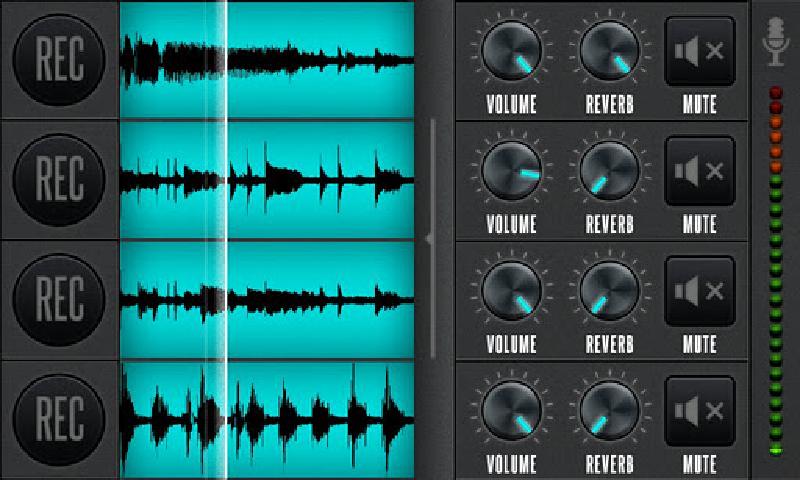
Loop pedals are a fun plaything for the musician, but cost some serious dollars, making them intimidating for the novice. But, now that you can scoop one up on your phone for just $1.99, there’s nothing stopping you from becoming the next Reggie Watts (except talent).
To start a loop, choose your bpm, then record a loop to one of the four channels. Each channel has independent reverb and volume settings, and, while you can only loop up to four separate loops, you can easily combine loops that don’t need independent effects.
When done, you can export your piece as separate and combined wav files.
Info// For: Android
Price: $1.99
djay #
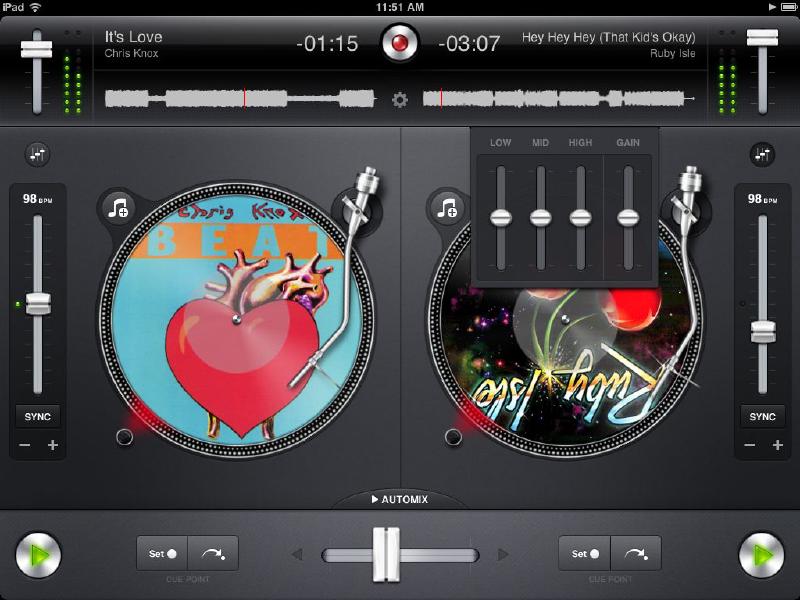
More into spinning tunes than creating them? I’m a big fan of DJ sets, and with apps as simple to use – and attractive – as this, they’ve become the current-day mixtape.
Obviously, this app is also good for performing live, giving you such features as: integration with your iTunes library; automatic beat and tempo matching; looping; cue-point trigger; audio effects; scratching, pitch and bend; mixer, tempo, and EQ controls; support for the Griffin DJ Cable for pre-cueing over headphones; and more. Too much effort? You can alternatively just kick back and let the app pick the tunes and mix them for you.
Info// For: iPad
Price: $20.99
Music Box Composer #
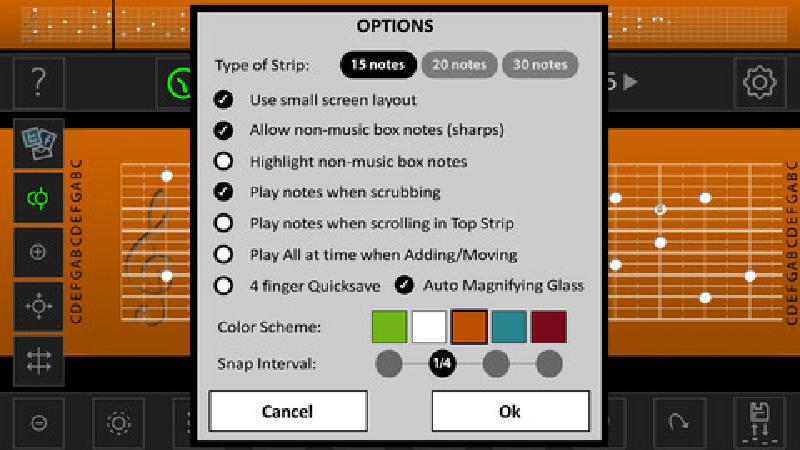
On the quirkier end of music composition apps comes Music Box Composer, which, as you may have guessed (if not really believed), is for composing music for music boxes. If you have a music box that accepts paper strips (you can get them for $15 from ThinkGeek), you can use this app to compose – and preview – your compositions before committing them to paper. Better yet, you can export your compositions as jpeg, and then print them off on a normal printer, saving you from having to purchase refills. The 99c will pay itself off quickly.
Info// For: iOS + Android
Price: $0.99
Chordbot Pro #
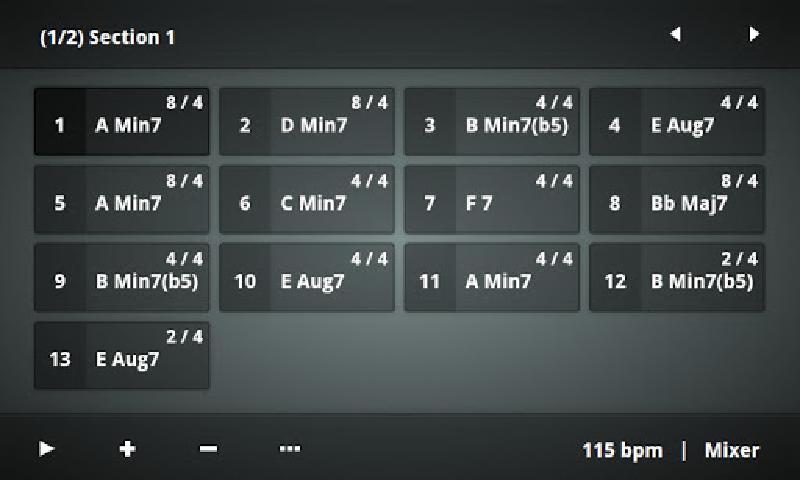
Perfect for the composer on the go, Chordbot lets you create and play advanced chord progressions, which is useful for song writing, but it can also be used as accompaniment for your live instrumentation. The app can also apply templates of sequenced instrument tracks to the chord progression you chose, creating songs for you.
It includes 60 chord types, covering pretty much everything, and has more than 20 comping styles, the ability to transpose songs to any key, and more.
Once done, you can export your new song to MIDI or WAV, for importing into your program of choice.
Info// For: iOS + Android
Price: $5.49 / $4.90